
What it is
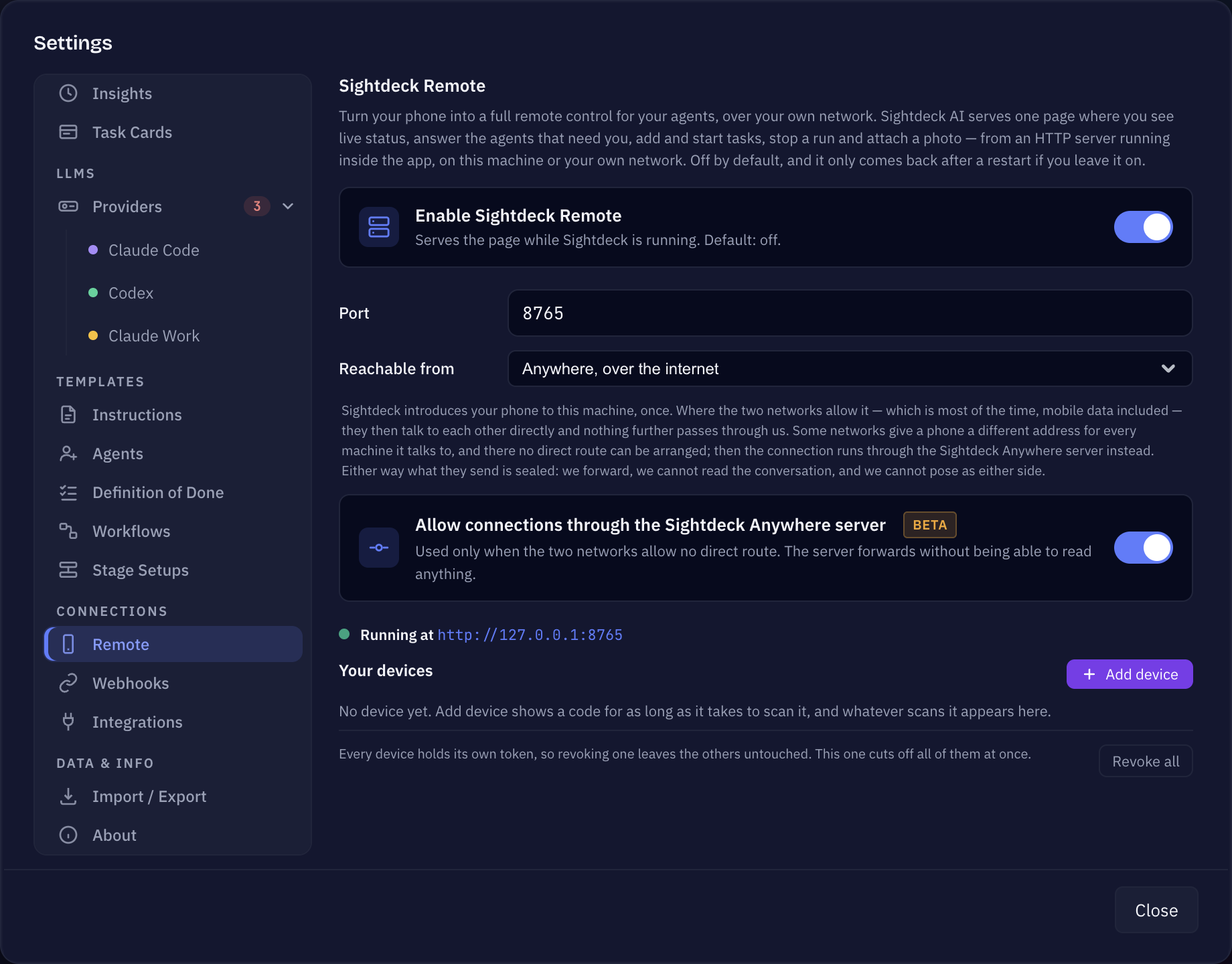
One extra choice in the Remote settings: Reachable from — your own network, or anywhere, over the internet. With Anywhere picked, Sightdeck AI introduces your phone to this machine once. After that the two talk to each other directly wherever their networks allow it, which is most of the time, mobile data included.
Some networks hand a phone a different address for every machine it talks to. There no direct route can be arranged, and the connection runs through the Sightdeck Anywhere server instead. Either way what the two send is sealed: the server forwards, it cannot read the conversation, and it cannot pose as either side.
How you use it
- Open Settings → Remote and switch Enable Sightdeck Remote on.
- Set Reachable from to Anywhere, over the internet.
- Press + Add device and scan the code with the phone you want to use. The code lasts as long as it takes to scan it.
- The phone appears under Your devices and keeps working from any network afterwards.
The relay switch
Allow connections through the Sightdeck Anywhere server is on by default, and for a lot of people it is the difference between the feature working and not working — it is what covers the networks where no direct route exists. Switch it off and a session only works where the two ends can reach each other directly.
What it costs you in trust
- The introduction goes through Sightdeck's server; the conversation does not, unless no direct route can be arranged.
- Every device holds its own token, so revoking one leaves the others untouched. Revoke all cuts off every device at once.
- Anywhere is Beta. It is off until you turn it on, and the local-network mode stays available and unchanged.
What the page itself exposes — and why you should think about that before picking any scope — is on the Sightdeck Remote page, together with Permissions & privacy.