
What it's for
- Run one project against a separate account — its own configuration folder — while your other projects use your usual one.
- Wrap the agent behind a script of your own (extra environment variables, a specific install path, a launcher).
- Change nothing to keep the normal behaviour: leave the command empty and Sightdeck finds
claudeorcodexon your PATH.
How you set it
- Open the cog icon → Providers and click Add profile.
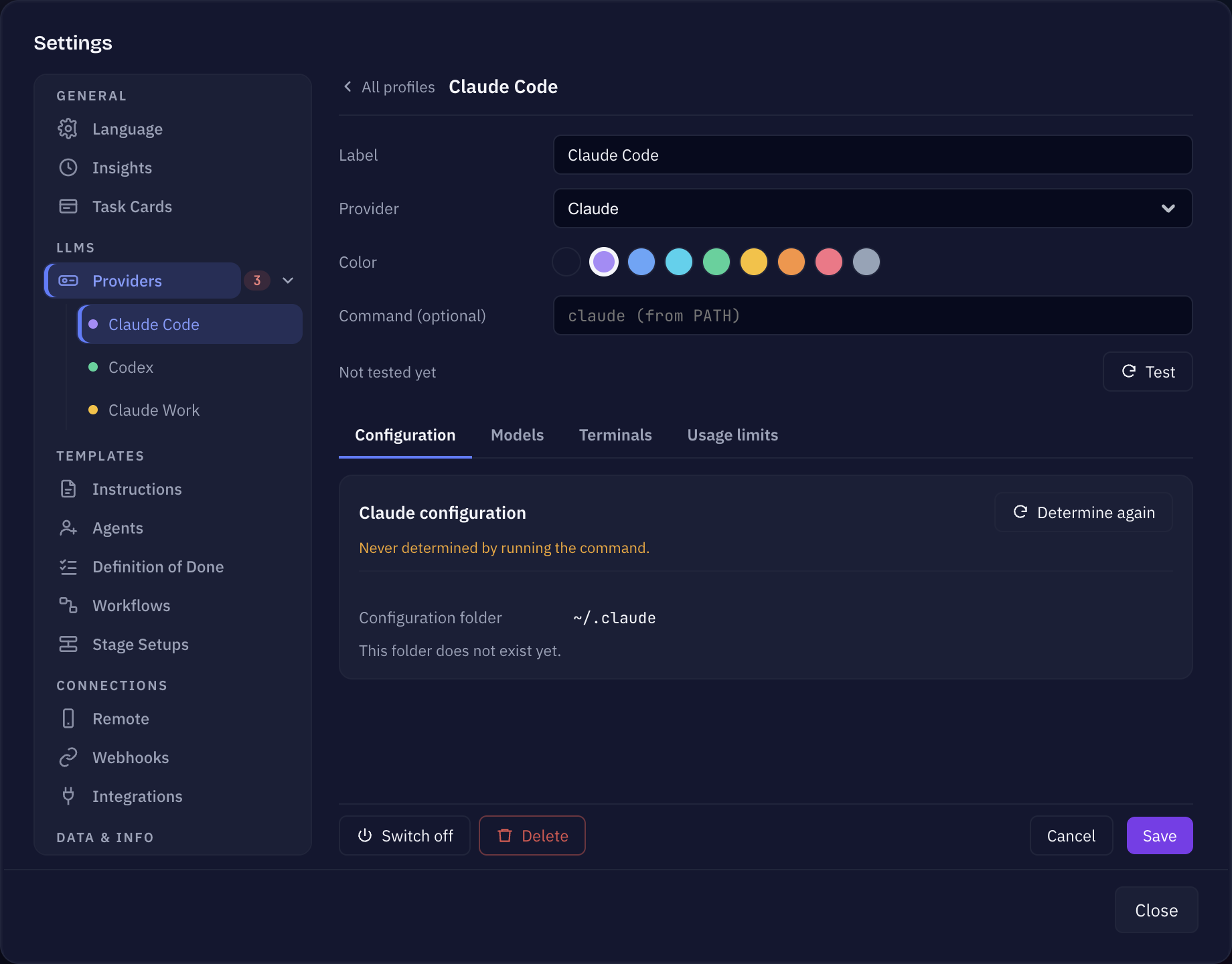
- Give it a Label (for example Claude (private)) and pick the Provider — Claude or Codex.
- Under Command (optional), enter an absolute path to an executable (for example
/Users/you/.local/bin/claude-priv) or a bare command name that resolves as a shell alias or function from your shell config (for exampleclaude-priv). - Save the profile and press Test — it says Available when Sightdeck could start the command.
- Open Edit project → General, pick the profile under Default provider, and save. From then on, the project's tasks launch with that command.
A typical alias for a second Claude account looks like alias claude-priv='CLAUDE_CONFIG_DIR=… claude' in your shell rc file. One profile serves every model: the model is still picked per task.
The Configuration tab of the profile then shows which configuration folder the command really uses — Sightdeck reads it by running the command, so a wrapper that sets its own folder is shown correctly. Install the Sightdeck skill there, see Skill setup.
Good to know
- Absolute paths are the reliable choice. A path is launched directly. A bare command name is run through an interactive shell so your alias resolves — which also runs your shell startup files.
- Watch startup output. Shell configs that print on startup (for example Powerlevel10k's instant prompt) can get in the way of Sightdeck reading the agent's output. An absolute path avoids the issue entirely.
- No credentials in the profile. The agent uses its own sign-in, exactly as when you start it in a terminal yourself.
- Saved a Claude command in a project before? It keeps working. Edit project → General shows it as Claude command (still in use) until you pick a Claude profile for the project.
- A single task can still run on a different provider than its project — pick it in the task's details. With stages, every stage can name its own provider too.
Everything else about profiles — the Models and Terminals tabs, full access, usage limits — is on the Providers page.
这个页面对你有帮助吗?
谢谢,已记录。