
What you get
- A checklist per agent, and one for the whole team that applies to every agent in the project on top of its own.
- On every finished task, the list of items with Met or n/a and the reason, plus a count such as “5 of 6 met”.
- Ready-made checklists you keep under Settings or get from the Store, loaded with one click.
A checklist for one agent
- Open Edit project → Team → Agents and open an agent.
- Switch to its Definition of Done tab.
- Type an item (for example “Unit tests pass”) and press Add, or pick one from the Suggestions — they fit the agent’s job role, such as developer, reviewer or DevOps.
- Reorder items by dragging, remove single ones, or Remove all. Nothing changes on disk until you save.
The list is saved in the agent’s own file, as a section headed ## Definition of Done, so the agent reads it without anything Sightdeck-specific. A checklist has at most 30 items, each up to 200 characters. Agents with a list show a DoD badge with the number of items.
A checklist for the whole team
Open Edit project → Team → Definition of Done. These items apply to every agent in the project, on top of each agent’s own list. They are saved in the project settings and written into SIGHTDECK.md, the instruction file Sightdeck keeps for its agents. In an agent’s list, team items are marked Team.
What a finished task shows
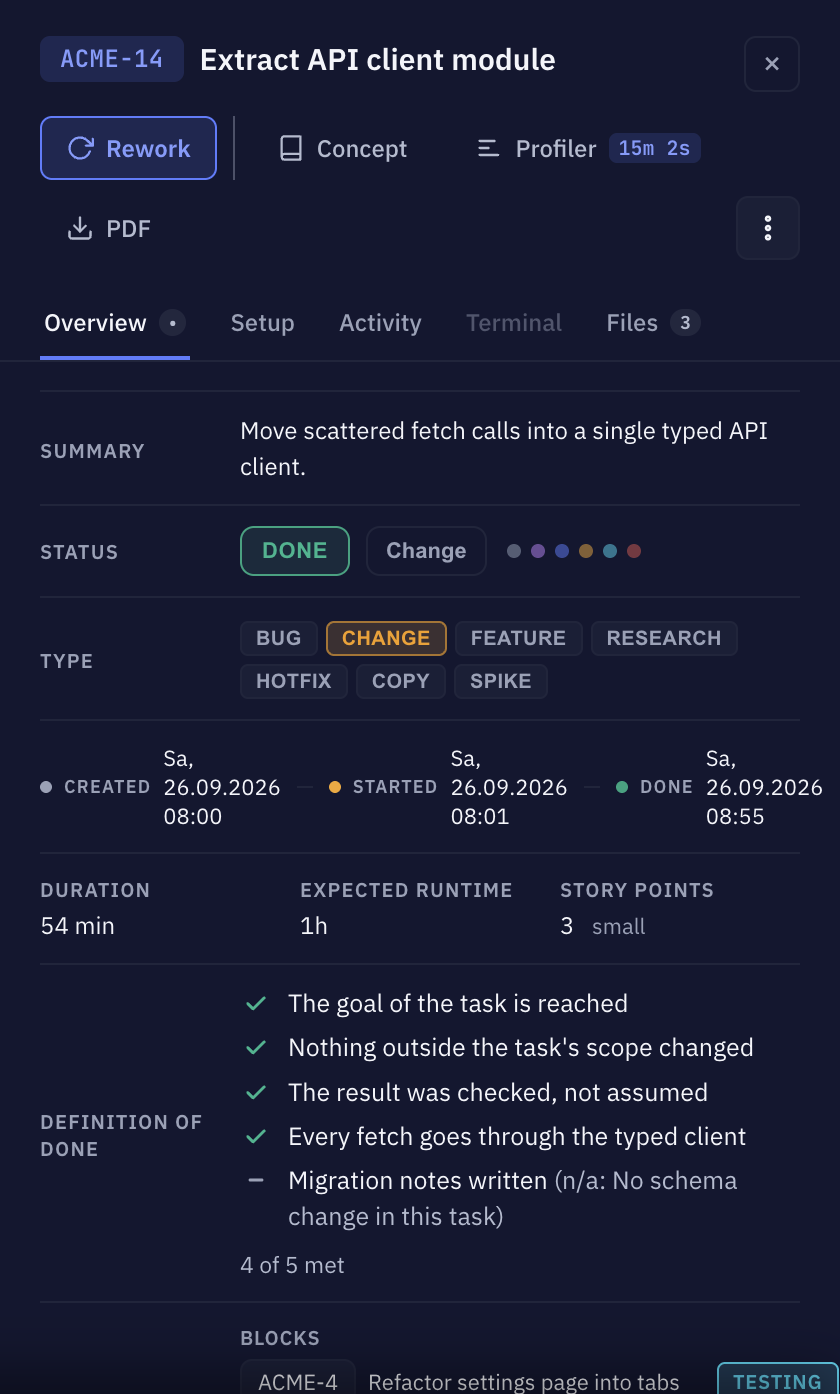
Open a finished task. On its Overview tab, Definition of Done lists every item the agent reported:
- a check mark for Met,
- a dash for n/a, with the reason the agent gave, for example “(n/a: no user-facing change)”,
- and the summary “N of M met”.
A task that ran without a checklist shows nothing here.
Ready-made checklists
Under Settings → Templates → Definition of Done you keep checklists to reuse, for example one for developers and one for reviewers. Each has a name, an optional description, a suggested job role and its items. Press New Definition of Done to make one, or Save as template in any agent or team list.
In an agent or the team list, Load template adds a template’s items. You always get a copy: changing or deleting the template later never changes an agent.
The Store has a Definition of Done category with shared checklists. Installing one keeps it with your templates, ready to load.