
What you get
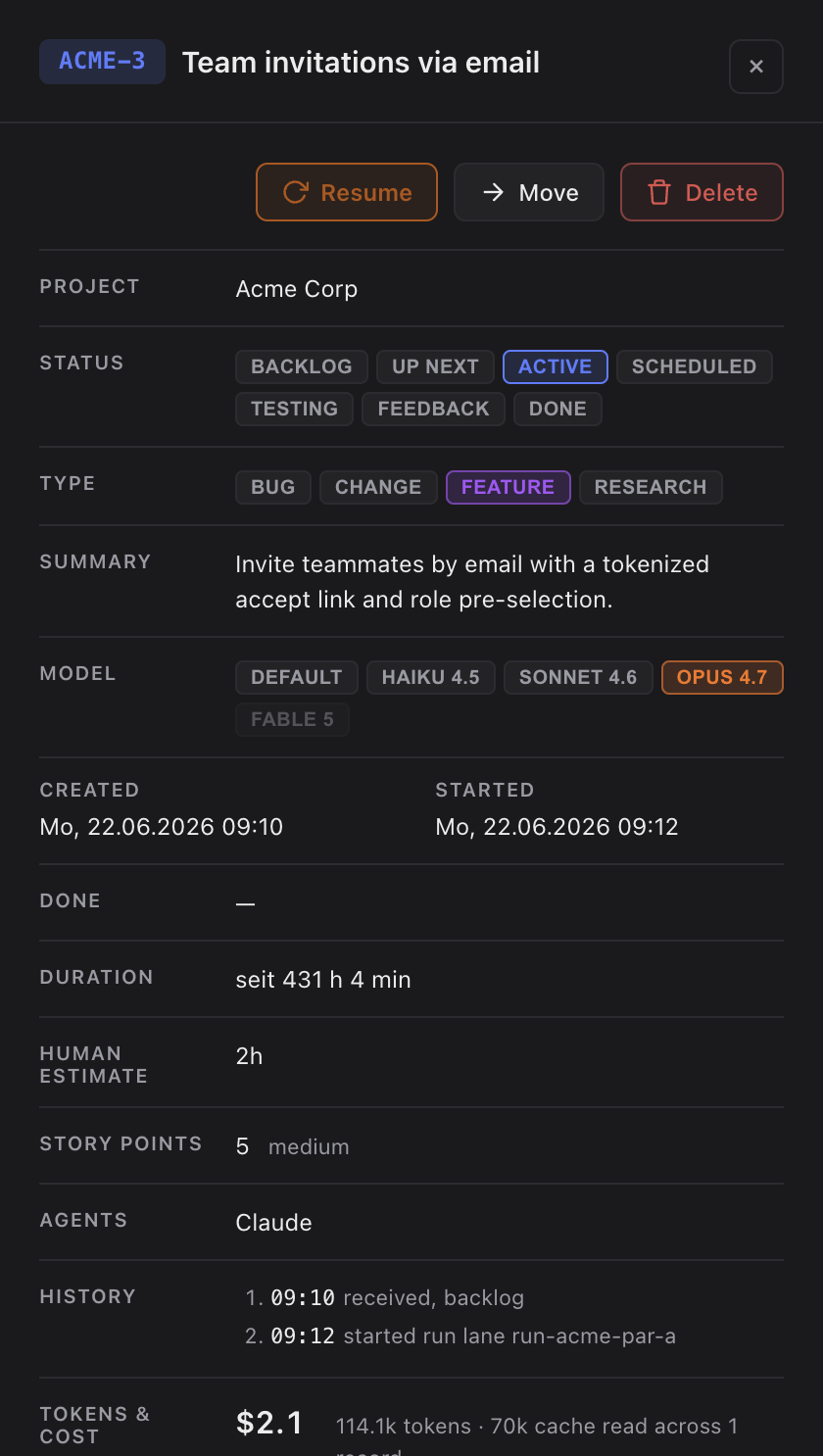
- A Resume button in the task's details on a task that is being verified or whose session has gone stale.
- If the task's session is still open, Resume brings it to the front — in the Agents view or its Terminal window.
- If it is not, Resume continues the last conversation of that task, so the agent picks up with its full history instead of starting cold.
- A resume always runs on the provider account the session started on.
How you use it
- Open the task. In the action row at the top of its details, click Resume. Hover it first to see what it will do — bring the open session to the front, or continue the last one.
- Answer or watch in the session as usual. On a task that needs you, Answer does the same: it reopens the last session so the agent continues with its context.
When the old session is gone
If the previous session has expired — its history was cleared, so there is nothing left to continue — Sightdeck notices before it opens anything and falls back to a fresh run automatically in the same click, with the task's usual model and access settings. The only difference is that a fresh run re-reads the task instead of continuing the old conversation; the run is marked Fresh start in Running Tasks. A launch only reports a real failure when something else is wrong, such as a project folder that can no longer be found.
Resume vs. Restart
Restart is for when you want a clean slate instead of a continuation: it starts the task fresh, with no memory of the previous session. Reach for Resume to carry on where the agent left off, and Restart when the earlier attempt went sideways and you would rather it try again from scratch.
Restart sits in the … menu at the top right of the task's details, not in the main button row. The main row stays reserved for the action you take most often, and starting over is not it.
Continuing in your own terminal
You can always continue a Claude Code session yourself with claude --resume <session-id> in the project folder. The Resume button's tooltip names that command when there is a session to continue.