
What it is
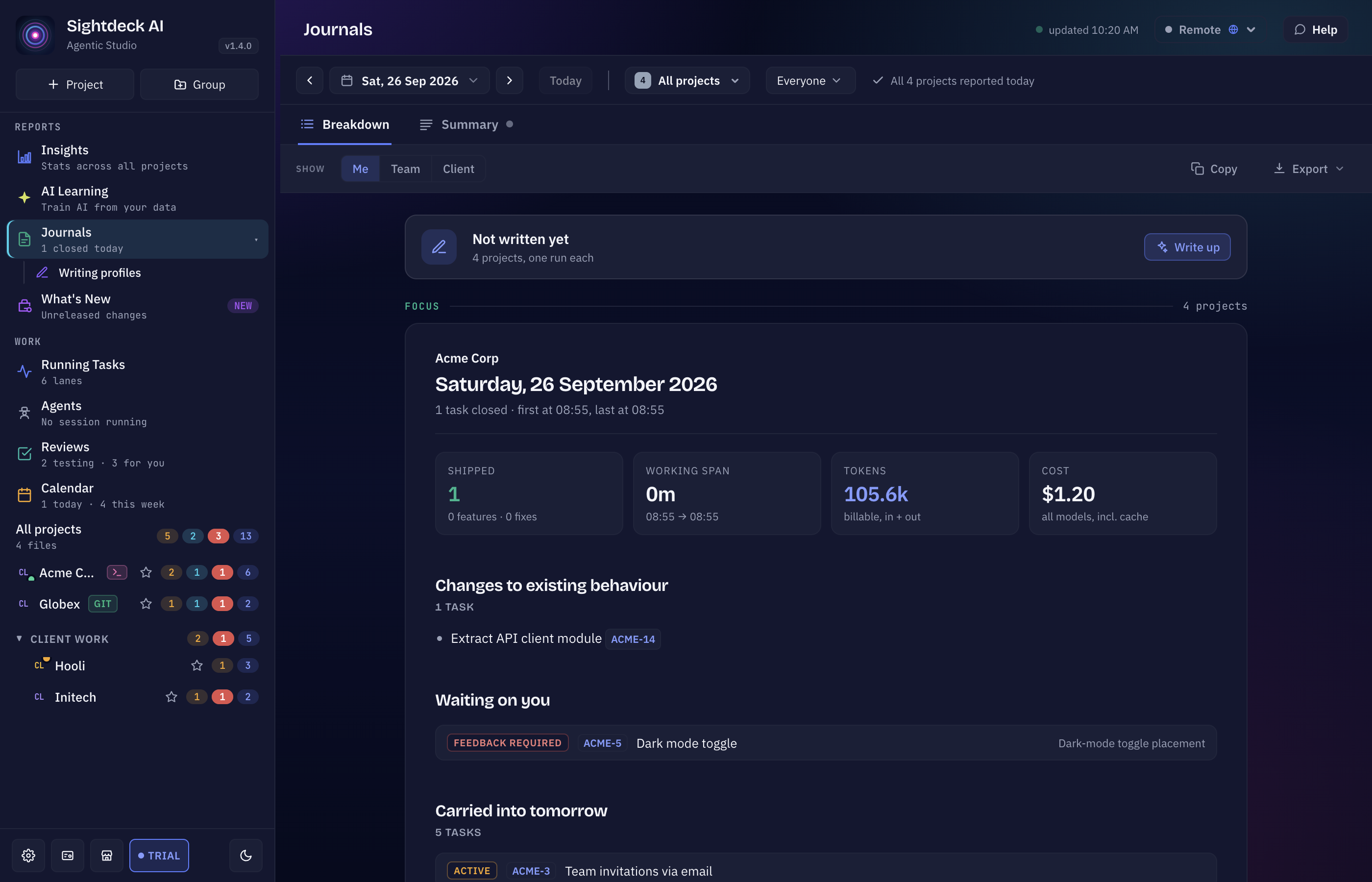
A dedicated sidebar view that writes up a period of finished tasks — a day, a week, a month, a custom range, or a set of days you click together. It has two tabs:
- Summary — the written report. The grouping and the sentences are written by an agent, only when you press Write up, and then kept, so reopening a day shows you the same report.
- Breakdown — the figures (task count, working span, tokens, cost), computed straight from your task file. Nothing here is model output, and nothing is generated.
It sits next to Calendar because the two answer adjacent questions: Calendar tells you which tasks closed, Journals tells you what the period was about.
What you get
- A busy period compressed into a few lines instead of a list nobody scrolls to the end of.
- The same period for three readers — Me, Team, Client — so one report serves as your own log, a standup note and a customer-facing update.
- Written by the provider you pick — Claude Code, Codex or one of your own provider profiles — in any of the app's languages.
- Your own style through writing profiles, and a Length from Short to Max.
- Copy as Markdown for Slack or a commit message, or Export as PDF, HTML, Markdown or plain text, in a light or dark theme.
- What is still open alongside what finished — a question waiting on an answer, or work that carried into tomorrow.
How you use it
- In the sidebar, under Reports, click Journals. It opens on today.
- Click the period button to open the calendar and pick Day, Week, Month or Range — or ⌘-click (Ctrl on Windows/Linux) individual dates to collect a specific set of days.
- Use the arrows to step the period, or Today to come back. Scope to one project with the project dropdown, or leave it on all projects for one card per project that actually had activity.
- In a project with a team, a member picker sits next to the project dropdown: everyone, one entry per member, and the tasks that predate the team.
- On the Summary tab, set For (Me, Team or Client), How (writing profile, language and provider) and the Length.
- Press Write up — for more than one day it names the period it is about to spend tokens on, since a month costs more than a day. Then Copy or Export.
Who writes it, and in which language
- Provider — left on Project provider, each project's report is written by the provider its Pre-Stage runs on. Pick a provider to have every report written by that one instead. A provider that cannot write reports is marked as such.
- Language — Project language follows the project, or pick any language the app speaks. Changing it needs a new write-up; a stored report is not translated.
- Writing profile — a profile tells the writer how to write: simple, technical, for a customer. Create and edit profiles under Writing profiles in the sidebar, from your own instructions plus clickable building blocks. Mark one as Default and Journals picks it automatically. Without a profile, the standard style is used.
The three readers
- Me — task ids, cost and tokens, open items and internal work, all included. The full picture, for yourself.
- Team — task ids, open items and internal work stay; only the per-task cost breakdown drops to token counts alone.
- Client — none of the above. Only the plain, customer-facing description of what shipped.
A bullet reaches the Client view only when the work behind it left a changelog line and was not marked internal-only — the same fields the Change Log Builder reads, so a report to a customer can never leak internal work.
Good to know
- Nothing is generated automatically. Opening the view, switching the project or stepping the period never spends a token on its own — only Write up does.
- A period that changed after you wrote it up is marked. The button then says Rewrite; press it to refresh the report.
- Figures are never model output. Counts, working span, tokens and cost are computed from the task file; only the grouping and the sentences are written by the agent, and every bullet carries the task ids it was built from.
Hat dir diese Seite geholfen?
Danke — ist notiert.