
Why a human stays in the loop
Even when agents do most of the coding, a person decides what "done" means. At the latest, that happens at the requirements and at the test design. Sightdeck is built around this:
- AI suggests, you decide. Every AI proposal (criteria, test conditions, models, test cases) waits for you to accept it. Accepted test cases start as Draft until someone approves them.
- Sightdeck points things out, it does not act on its own. It shows a requirement without a test case, a test case whose requirement changed, a decision table with missing rules. Whether a test case gets written or changed is your call.
- Nothing is tested automatically by default. You run test cases by hand in the runner, or you run your own end-to-end tool and import its results.
- A release counts as ready only when its tests ran and passed. The Go / No-Go of a test plan is checked against real results, not against intentions.
Standard artifacts, your own process
Quality uses the artifacts and terms defined by common testing standards: requirements, acceptance criteria, test conditions, test cases, test plans, test executions, defects and exit criteria. It does not prescribe a process or workflow. You pick the steps that fit your team and skip the rest.
The normal path
Open a project and switch to the Quality workspace. Its tabs follow the path below: Requirements, Test cases, Test plans, Exploratory and Reports.
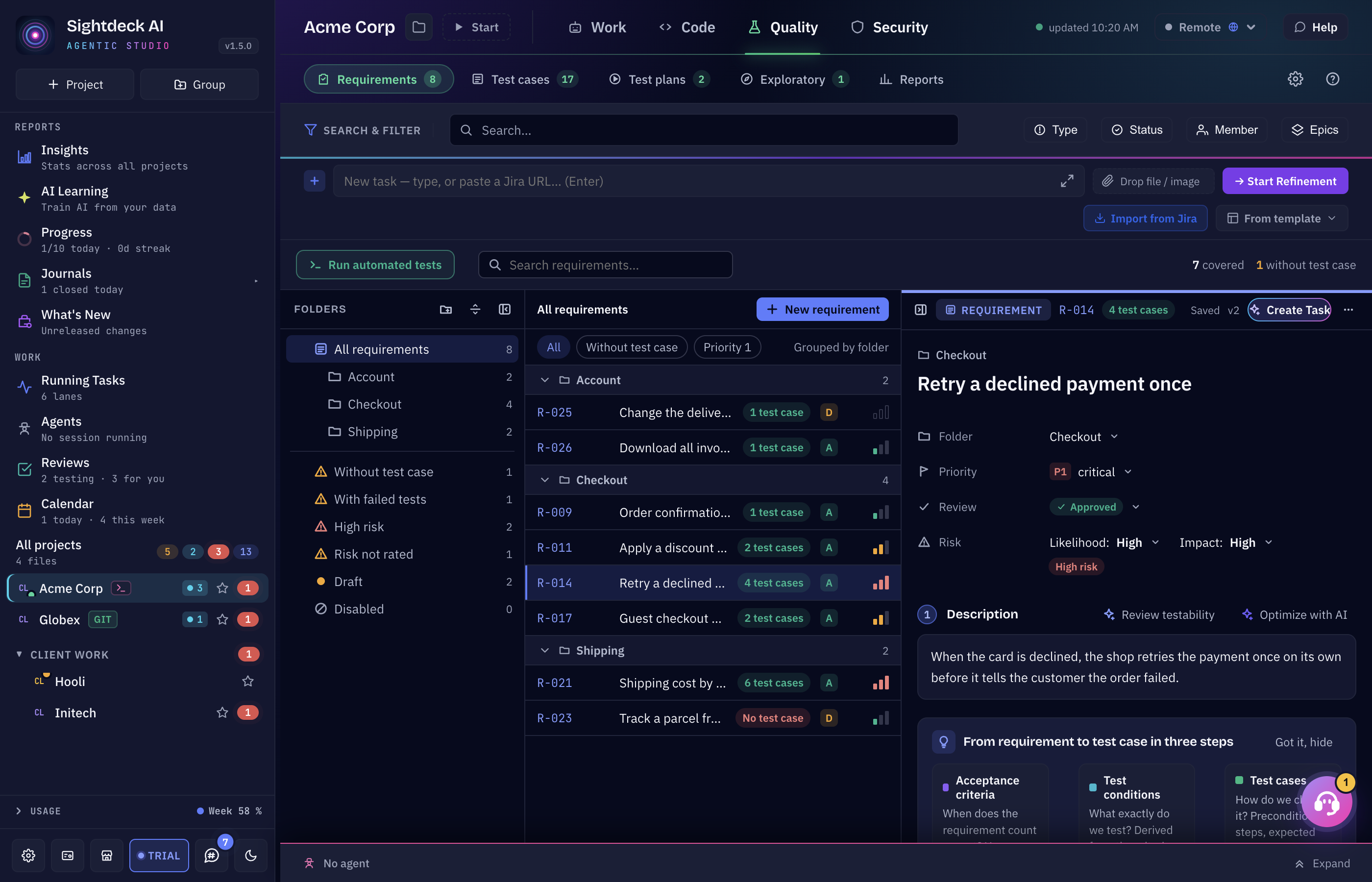
- Write the requirement and rate its risk. What must the product do, and how bad is it if it fails? Likelihood × impact gives the risk. Requirements
- Design the tests. Black-box models such as equivalence partitions, boundary values, decision tables and state transitions show what needs testing. Test design
- Agree on acceptance criteria and test conditions. Criteria say when the requirement is met. Test conditions say what exactly gets tested.
- Write test cases. Preconditions, steps and expected results, each linked to the requirement and the conditions it covers. Test cases
- Run them. Bundle test cases into a test plan, execute them by hand in the runner, or import the result files of your test tool. Test plans and runs
- Sign off the release. The plan's exit criteria give a Go or a No-Go, and the reports show coverage, risk and traceability. Reports
Every step links to the one before it, so you can always go from a failed test back to the requirement it protects, and from a requirement to the tasks that built it.
Where AI helps
- Requirements: Optimize with AI rewrites a description clearly, Review testability finds vague words and missing limits, Create with AI drafts acceptance criteria and test conditions.
- Test design: Create with AI suggests one model per technique, Find gaps using AI looks for missing rules in a decision table.
- Test cases: Suggest with AI proposes test cases for a requirement, Check quality reviews one, Draft automation writes a Playwright or Cypress spec in the style of your existing ones.
The AI speeds up each step. It never skips one for you.
A worked example
The Acme Corp shop has three requirements: R-014 "Retry a declined payment once", R-017 "Guest checkout without an account" and R-021 "Shipping cost by parcel weight". For R-021 you model the weight as equivalence partitions (below 0 kg is invalid, 0 to 10 kg costs €4.99, 11 to 20 kg costs €14.99, above 20 kg goes by freight) and add boundary values. Each partition and value becomes a test condition, and test cases TC-031 to TC-047 cover them. A test plan "Release 2.7 regression" runs them. When TC-038 fails in the runner, Sightdeck offers a defect linked to TC-038 and the run. Once the fix is in and the case passes on retest, the plan turns to Go.
Where it is stored
Everything lives in your project under .agents/sightdeck/qa/, mainly requirements.xml, testcases.xml and testruns.xml. It reaches your team through git like any other file. If you want readable copies next to your docs, turn on Markdown backups.
Without a license
Quality works without a license for up to 5 requirements and 5 test cases per project. A license lifts that limit. When you reach it, the existing requirements and test cases stay editable.
Related
- Requirements: write them, rate the risk, turn them into tasks.
- Test design: models that produce test conditions.
- Test cases: steps, expected results and automation links.
- Test plans and runs: the runner, defects and Go / No-Go.
- Exploratory testing: time-boxed sessions with a charter.
- Automated test results: run your tool and import the results.
- Reports: coverage, risk, traceability and the plan report.
- QA settings: commands, Markdown backups, configurations and writers.
- Tutorial: requirements-driven coding.