
What you get
- A reminder from the Buddy every two to three weeks, per project.
- One click to start the check, from the reminder or from the Team Chat tools.
- A read-only review: the Buddy reads everything and changes nothing.
- The result as a message in the Buddy chat: a short verdict, one line per finding, and a proposed task for each finding worth fixing.
The reminder
Every two to three weeks the Buddy speaks up at the orb, for the project you are in: "It's been a while since anyone looked at the agent setup of this project. Instructions drift over time: shall I check CLAUDE.md, AGENTS.md, the agents, workflows and stages for contradictions?"
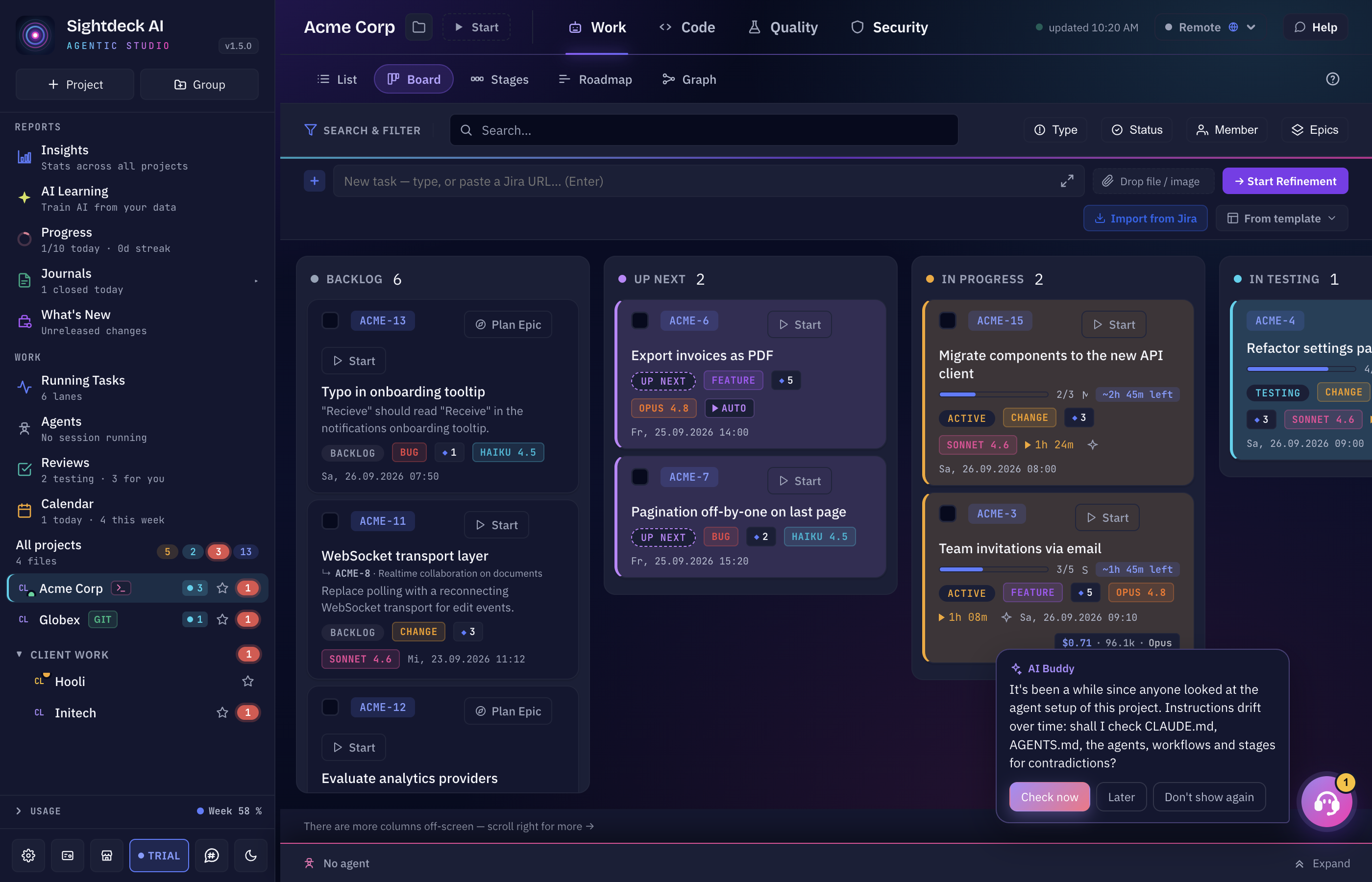
- Check now starts the check.
- Later skips this round. The next reminder comes in two to three weeks.
- Don't show again turns the reminder off for good. You can still start a check from the Team Chat.
The days are counted per project and per machine. The interval is picked anew each time, so the reminders of several projects do not all land on the same day. A new project gets its first reminder only after two weeks or more.
Start a check from the Team Chat
You do not have to wait for the reminder. In a chat with a project open, click Tools next to the message field and pick Review agent setup ("Find contradictions in CLAUDE.md, agents, workflows and stages"). In the German app the entry is called Agent-Setup prüfen.
A check from the tools counts as a check: the next reminder for that project starts counting again from that day.
What the Buddy checks
The Buddy opens its chat with the project and does the review there. If that chat already has a conversation, it starts a fresh one next to it. It only reads; it changes nothing. It looks at:
CLAUDE.md,AGENTS.mdandGEMINI.md, nested ones too.- The agents in
.claude/agentsand the skills in.claude/skills. - Sightdeck's own files in
.agents/sightdeck, and the settings of your workflows and stages.
It looks for:
- Rules that contradict each other, or contradict the workflows and stages.
- Instructions that are duplicated or outdated.
- References to files, commands or agents that no longer exist.
- Agents that no workflow uses, and stages without an agent.
The result
The answer arrives as a message in the Buddy chat. It starts with a short verdict. Then comes one line per finding: the severity (high, medium or low), the file and line, and what is wrong. For each finding worth fixing, the Buddy proposes a task. You decide which ones go to the board.
Example: two rules that disagree
In the Acme Corp shop the reminder shows up on a Monday. You click Check now. When the Buddy is done, its chat has the result:
- High,
CLAUDE.md:14: "Never run the end-to-end tests locally." But the QA stage that Tobias leads tells him to run them before every handover. - Medium,
.claude/agents/mint.md:8: Mint points todocs/security-checklist.md, which no longer exists. - Low: the agent Lena is not used by any workflow.
You add the first two proposed tasks to the Backlog and ignore the third, because Lena is only used in the Team Chat.
Related
- Instructions: where your agent instructions live.
- Stages and workflows: which agent works on which stage.
- AI Buddy: the assistant that runs the check.
- Team Chat: where the Tools menu is.