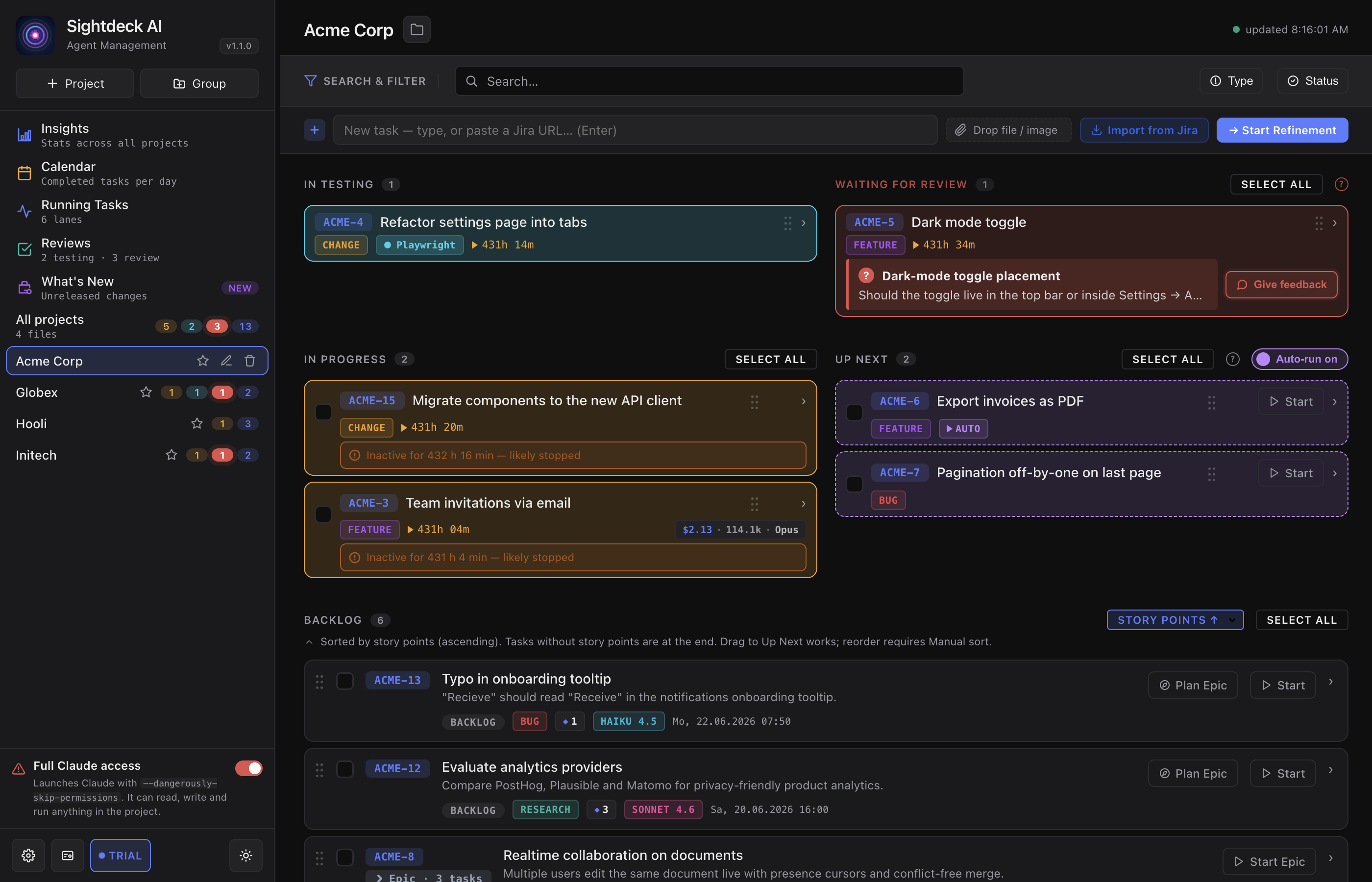
The states a task moves through
backlog— created, not started yet.up_next— queued for the auto-scheduler. You put tasks here yourself, and the scheduler starts them one at a time.scheduled— lined up as part of a bulk-start or an Epic run, waiting its turn to goactive. You see it on tasks you launched together rather than one by one.active— Claude is working on it.testing— a check is running (tests, build, lint). The pill names the tool, so you know whether it is a quick check or a long run.feedback_required— Claude is waiting for your answer. The task jumps into the Needs You column with a red border and the question right on the card.done— work is finished and verified.
What you get
- You always know where a task really stands — Claude cannot show "working" while it is actually waiting on you.
- The
testingpill tells you which tool is checking right now, so a long browser run and a quick type check are easy to tell apart. - A flip from
testingback toactiveis normal — a bug was found, Claude fixes it and re-checks. You see the iterations, not just the result. doneis only reached after a green check — never an "I think it works" claim.
How you use it
- Watch the status pill on each card — colour and label tell you the current state.
- When a task is
testing, read the small badge next to the pill for the tool that is verifying. - When a task turns
feedback_required, open the Needs You column and answer the question on the card. - To reopen a
donetask, hit Rework on the card — it sends the task back tobacklogand the lifecycle runs again from the top.